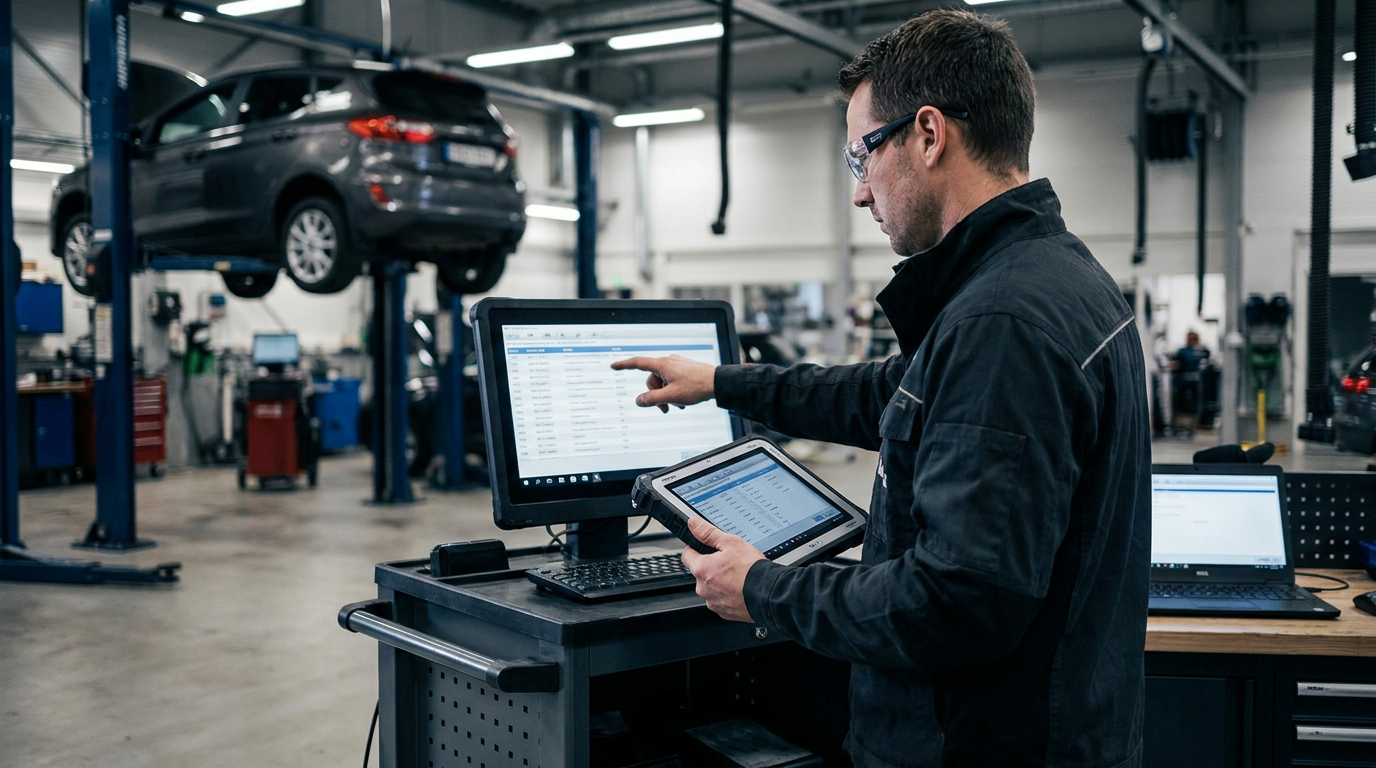
What Is DMS Integration and Why Does It Matter?
DMS integration connects your dealer management system directly to CarsLink.ai, automatically synchronising your vehicle stock without manual data entry. This connection ensures that every car, van, or motorbike in your inventory appears on the platform with accurate pricing, specifications, and availability, updating in real time as you make changes in your primary system. For UK dealers managing dozens or hundreds of vehicles, manual listing is impractical and error-prone. Integration eliminates duplicate work, reduces listing errors, and ensures buyers always see current stock.
Most modern dealer management systems already generate stock feeds for platforms like AutoTrader or Motors.co.uk. The same technology that powers those expensive marketplace connections can feed CarsLink.ai at zero cost. Rather than paying thousands monthly for visibility, dealers can redirect existing data exports to a platform that charges no listing fees, no subscription, and no commission. The technical barrier is minimal because your DMS is already doing the heavy lifting.
Understanding Stock Feed Formats and Requirements
CarsLink.ai accepts vehicle data through standardised stock feeds, typically delivered as XML or CSV files. Your dealer management system likely exports inventory data in one of these formats already, either through scheduled automated exports or manual generation. The feed must include essential vehicle details: registration number, make, model, variant, mileage, price, fuel type, transmission, colour, and at least one image URL. Optional fields like service history indicators, number of previous owners, and detailed specification lists enhance listing quality but are not mandatory for basic integration.
The platform expects feeds to follow consistent field naming and data structures. Most established DMS providers use industry-standard formats compatible with multiple listing platforms, meaning the same feed configuration that serves other marketplaces will work for CarsLink.ai with minimal adjustment. If your system exports to AutoTrader's format, for example, that structure translates directly. The key requirement is that vehicle data remains current; stale feeds listing sold vehicles or outdated prices create poor buyer experiences and waste dealer time fielding enquiries about unavailable stock.
Preparing Your DMS for Integration
Before connecting to CarsLink.ai, verify that your dealer management system can generate automated stock feeds. Most modern platforms including Keyloop (formerly CDK Global), AutosOnShow, MotorDesk, DealerPro, and similar systems include feed generation as standard functionality. Navigate to your DMS settings or inventory management section and locate export or integration options. If you currently list on other platforms, you already have this capability configured.
Check your existing feed schedule and delivery method. Many systems generate fresh exports hourly or daily, uploading files to FTP servers or cloud storage locations. Note the current export frequency, file format (XML or CSV), and delivery mechanism. You will replicate this configuration for CarsLink.ai, either by adding a second export destination or by allowing the platform to pull from your existing feed location. Ensure your DMS includes all mandatory fields in its export: incomplete data prevents listings from appearing correctly.
Review image hosting arrangements. Vehicle photos must be accessible via public URLs that CarsLink.ai can retrieve. Most DMS platforms host images on their own servers or integrated photo management systems, automatically including image URLs in stock feed exports. Confirm that your images are web-accessible and that URLs remain stable (images should not expire or change location when vehicles remain in stock). Poor image quality or missing photos significantly reduce buyer engagement, so verify that your photography workflow produces clear, well-lit images before integration.
Connecting Your Stock Feed to CarsLink.ai
The actual connection process takes minutes once your feed is prepared. CarsLink.ai supports multiple integration methods to accommodate different DMS configurations. The simplest approach involves providing a publicly accessible URL where your stock feed file resides. If your DMS uploads exports to a web server, cloud storage bucket, or FTP location, you supply that URL during signup. The platform then retrieves your feed on a scheduled basis, typically every few hours, importing new listings and updating existing ones automatically.
Alternatively, if your DMS provider supports webhook notifications or API connections, CarsLink.ai can receive real-time updates as you add, modify, or remove vehicles. This method ensures immediate synchronisation but requires slightly more technical configuration. Most dealers find the scheduled feed retrieval method sufficient, as hourly or twice-daily updates keep listings current without the complexity of API integration.
During initial setup, you will map your feed fields to CarsLink.ai's expected data structure. This mapping tells the platform which column or XML element in your export corresponds to vehicle make, model, price, and other attributes. If your feed follows standard automotive data formats, this mapping happens automatically. Non-standard feeds may require manual field matching, but the process is straightforward and only needs to be completed once. After initial configuration, the platform remembers your mapping and applies it to all subsequent feed imports.
For detailed technical instructions, refer to the step-by-step integration guide which covers specific DMS configurations and troubleshooting common connection issues.
Testing Your Integration and Verifying Data Accuracy
Once connected, run a test import before relying on the integration for live listings. CarsLink.ai provides validation tools that check your feed for common errors: missing required fields, invalid data formats, broken image URLs, or duplicate entries. Review the validation report carefully, addressing any flagged issues in your DMS export configuration. A clean initial import prevents ongoing data quality problems.
Manually verify a sample of imported listings against your DMS records. Check that prices match, specifications are correct, and images display properly. Pay particular attention to variant descriptions and trim levels, as these details often confuse buyers if listed incorrectly. Confirm that mileage figures are current and that sold vehicles do not appear in the feed. This spot-check catches configuration errors that automated validation might miss.
Test the update cycle by making a change in your DMS and monitoring how quickly it appears on CarsLink.ai. Adjust a vehicle's price or mark a car as sold, then wait for the next scheduled feed import. The change should reflect within your configured update interval (typically one to four hours). If updates are delayed or not appearing, review your feed generation schedule and delivery method. Consistent, reliable synchronisation is essential for maintaining accurate listings.
Optimising Your Listings for AI-Powered Search
While basic integration gets your vehicles onto the platform, optimising your DMS data improves discoverability through CarsLink.ai's natural language search. The AI engine interprets buyer queries like "family SUV with low mileage under £15,000" by analysing your vehicle data. The more complete and accurate your listings, the better the platform matches them to relevant searches.
Ensure your DMS includes detailed specification data beyond basic make and model. Features like parking sensors, navigation systems, leather seats, and safety equipment help the AI understand vehicle characteristics. Many buyers search using feature-based queries rather than specific model names, so comprehensive specification lists increase visibility. If your DMS allows custom fields or notes, use them to highlight desirable features that might not appear in standard specification templates.
Write clear, descriptive vehicle condition notes. The AI search analyses text descriptions to understand vehicle history and condition. Phrases like "full service history", "one previous owner", or "recent MOT with no advisories" provide valuable context that helps match vehicles to buyer preferences. Avoid generic boilerplate text; specific, honest descriptions build buyer confidence and improve search relevance. Understanding how AI search changes vehicle discovery helps dealers optimise listing content for better visibility.
Managing Ongoing Integration and Troubleshooting
After successful integration, monitor your feed health regularly. CarsLink.ai provides dashboard tools showing import success rates, error logs, and listing counts. Check these metrics weekly to catch problems early. Common issues include feed URL changes (if your DMS provider updates server locations), expired authentication credentials, or file format changes after DMS software updates.
Establish a routine for reviewing listing accuracy. Monthly audits comparing your live CarsLink.ai inventory against your DMS help identify synchronisation gaps. Look for vehicles that sold weeks ago but still appear listed, new stock that never imported, or pricing discrepancies. Most problems trace back to DMS export configuration rather than the integration itself, so work with your DMS provider to resolve persistent issues.
Keep your DMS software current with vendor updates. Software patches and version upgrades occasionally change export formats or introduce new required fields. After any DMS update, verify that your CarsLink.ai feed continues importing successfully. If problems arise, contact your DMS provider first to confirm export functionality, then reach out to CarsLink.ai support if feed-specific issues persist.
Working with DMS Providers and Integration Partners
Many DMS vendors now recognise CarsLink.ai as a valuable zero-cost channel for their dealer clients. Some providers have formalised partnerships that simplify integration through pre-configured export templates or one-click setup options. If your DMS appears on the integration partners page, you may have access to streamlined connection processes that eliminate manual field mapping.
DMS providers benefit when their dealer clients access free advertising channels because it reduces the total cost of dealership operations without requiring the provider to build proprietary marketplace technology. Progressive vendors actively promote CarsLink.ai integration as added value. If your DMS provider is not yet familiar with the platform, share information about how DMS providers add value for dealer clients through these partnerships.
For dealers using less common or legacy DMS platforms, custom integration may require additional technical support. CarsLink.ai's technical team can work directly with your IT staff or DMS vendor to establish compatible feed formats. The platform's flexibility in accepting various data structures means even non-standard systems can usually connect successfully with modest configuration effort.
Comparing Integration Effort to Marketplace Alternatives
Integrating with CarsLink.ai typically requires less technical effort than connecting to traditional paid marketplaces. AutoTrader, Motors.co.uk, and similar platforms demand the same stock feed functionality but layer on complex account setup, contract negotiations, and ongoing billing administration. The technical integration work is identical; the difference lies in cost and contractual commitment.
Most dealers already maintain stock feeds for existing marketplace contracts. Adding CarsLink.ai as an additional feed destination takes minutes because the infrastructure exists. You are not building new export capability; you are directing existing data to an additional endpoint. This minimal incremental effort delivers a complete additional advertising channel at zero cost, making the return on integration time exceptionally high.
The absence of contracts, minimum terms, or cancellation procedures further reduces integration friction. If you decide CarsLink.ai does not suit your dealership, you simply stop updating the feed. No phone calls, no cancellation fees, no waiting for contract expiry. This risk-free trial approach encourages dealers to test the platform without the commitment anxiety that accompanies expensive marketplace contracts. Learn more about the platform's dealer-focused approach on the how it works page.
Maintaining GDPR Compliance Through Integrated Listings
Integrating your DMS with CarsLink.ai does not create new GDPR obligations beyond those already applicable to your vehicle sales operation. The platform does not collect buyer personal data on behalf of dealers; instead, it directs interested buyers to your website where you control data collection, consent, and processing under your existing GDPR framework.
Your stock feed should contain only vehicle data, not customer information. Ensure your DMS export configuration excludes any buyer details, previous owner names, or other personal data that might accidentally appear in inventory records. The feed should describe vehicles for sale, not the people who owned or enquired about them. Standard DMS exports naturally exclude this information, but verify your configuration to prevent accidental data exposure.
When buyers contact you after discovering vehicles through CarsLink.ai, handle their enquiries using your established GDPR-compliant processes. The integration does not change your obligations around consent, lawful basis for processing, data retention, or subject access requests. The platform simply becomes another traffic source, similar to organic search or social media, rather than an intermediary that processes buyer data on your behalf.
Measuring Integration Success and ROI
Track the performance of your CarsLink.ai integration through both platform analytics and your own website metrics. The CarsLink.ai dashboard shows how many buyers viewed your listings and clicked through to your website. Compare this traffic volume to other advertising channels, noting that it costs nothing while alternatives charge hundreds or thousands monthly.
Use UTM parameters or dedicated landing pages to track which vehicle enquiries originated from CarsLink.ai traffic. This attribution helps quantify the integration's value in terms of leads generated and sales completed. Even a single vehicle sale per month from the platform represents significant return on the minimal integration effort, especially compared to the cost of paid marketplace listings.
Monitor listing performance over time to identify optimisation opportunities. If certain vehicle types or price ranges generate more engagement, adjust your inventory strategy accordingly. The AI-powered search provides insights into buyer preferences that traditional classified advertising cannot match, helping you stock vehicles that align with actual market demand in your region.
Frequently Asked Questions
How long does DMS integration typically take?
For dealers with existing stock feed capability, initial integration takes 10-30 minutes. You provide your feed URL, map data fields if necessary, and run a test import. The platform then updates automatically according to your chosen schedule. Dealers without existing feed exports may need several hours to configure their DMS initially, but this work benefits all marketplace connections, not just CarsLink.ai.
What if my DMS does not support automated exports?
Most modern dealer management systems include export functionality as standard. If your system genuinely lacks this capability, consider whether it meets your broader business needs; the inability to generate stock feeds limits your advertising options across all platforms. For dealers with very small inventories (under 20 vehicles), manual listing through the dealer signup process may be practical, though less efficient than automated integration.
Can I integrate multiple dealership locations through one DMS?
Yes, if your DMS manages inventory for multiple locations, the stock feed can include all sites. CarsLink.ai will display each vehicle's location to buyers, helping them find stock at their nearest dealership. Ensure your feed includes accurate location data for each vehicle so buyers can filter by geographic proximity.
Does integration affect my existing marketplace listings?
No, CarsLink.ai integration is completely independent of your AutoTrader, Motors.co.uk, or other marketplace connections. The same stock feed can serve multiple platforms simultaneously. Adding CarsLink.ai does not interfere with existing advertising channels; it simply provides an additional zero-cost outlet for the same inventory data.
What happens if my feed stops updating?
If CarsLink.ai cannot retrieve your feed for an extended period (typically 48-72 hours), your listings will be temporarily hidden to prevent buyers seeing stale inventory. You will receive email notifications about feed failures, allowing you to address connection problems quickly. Once the feed resumes, your listings reappear automatically with current data.